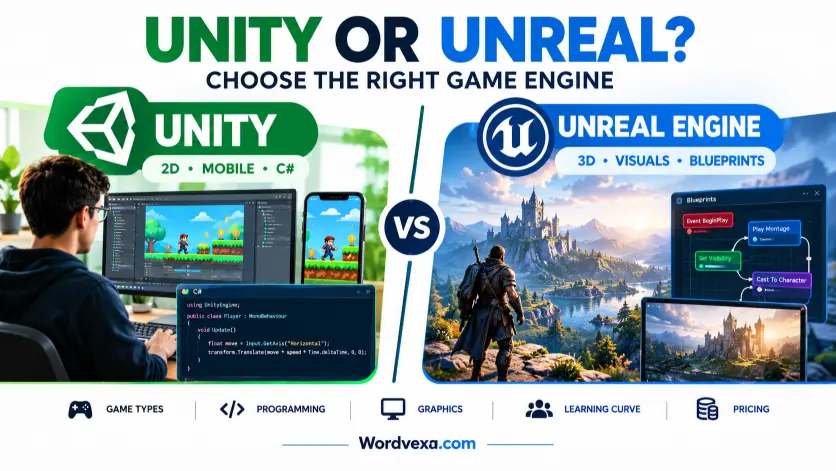
Unity and Unreal are two popular game engines used to create video games, but they differ in programming, graphics, learning curves, and development costs.
If you are deciding between Unity or Unreal, the best choice depends on the type of game you want to build, your coding skills, and your performance goals.
Choosing a game engine is one of the first big decisions in game development. The right tool can make it easier to turn your ideas into a playable game, while the wrong choice may slow down your progress.
Unreal Engine is especially attractive for high-end 3D games, realistic environments, and projects that benefit from advanced built-in rendering tools. Both engines can create impressive 3D games, so the difference is not simply about graphics.
People search for this comparison because they want to know which engine is easier to learn, which costs less, which supports their target platform, and which offers better career opportunities. These questions matter if you are a beginner, an independent developer, or part of a professional studio.
In this guide, you will learn how Unity and Unreal Engine compare in features, programming, graphics, pricing, and real-world use. You will also discover which engine fits your goals best.
Unreal or Unity: Which Is Better? A Quick Answer
Unity is often the better starting point for 2D games, mobile projects, and developers who want to learn C#. Unreal Engine is often a better fit for visually ambitious 3D games, realistic environments, and developers who want to use visual scripting through Blueprints.
Neither engine is universally better. Your game type, target devices, team skills, and budget should guide your decision.
Unity or Unreal: Quick Answer
Here is the simplest way to choose between Unity and Unreal Engine:
- Choose Unity for many 2D games, mobile games, lightweight projects, and flexible cross-platform development.
- Choose Unreal Engine for high-end 3D games, cinematic visuals, and projects that benefit from advanced real-time rendering.
- Choose either for many indie games, simulations, and 3D projects where both engines meet your technical needs.
For example, a simple 2D puzzle game may be easier to build in Unity. A realistic first-person game with detailed lighting may be a natural fit for Unreal Engine. A stylized 3D adventure game could work well in either engine.
The best choice is the engine that lets you build, test, and improve your specific game efficiently.
What Does Unity and Unreal Mean?
What Is Unity?
Unity is a real-time development engine used to create interactive games and applications. Developers can build 2D and 3D games, mobile apps, virtual reality experiences, and other interactive projects.
Unity uses C# as its main scripting language. Its editor, component-based workflow, asset ecosystem, and learning resources help developers build gameplay systems and publish projects across supported platforms. Unity’s official documentation includes separate guidance for 2D and 3D projects.
Example: A developer building a mobile word puzzle game could use Unity to manage the interface, animations, scoring, sound, and game logic.
What Is Unreal Engine?
Unreal Engine is a real-time development engine created by Epic Games. It is widely associated with 3D game development, realistic environments, advanced lighting, and cinematic production.
Unreal Engine supports C++ programming and Blueprints, a visual scripting system that lets developers create gameplay logic by connecting nodes instead of writing every instruction as code. Its applications also extend to film production, architecture, simulation, and visualization.
Example: A developer creating a detailed first-person exploration game could use Unreal Engine to build realistic environments, lighting, materials, and interactive objects.
Why Do People Compare Unity and Unreal?
Both engines help developers turn digital assets and gameplay ideas into interactive experiences. However, their workflows, scripting options, rendering tools, and licensing terms differ.
The comparison matters because choosing an engine affects how you learn, build, optimize, and maintain your project.
The Origin of Unity and Unreal Engine
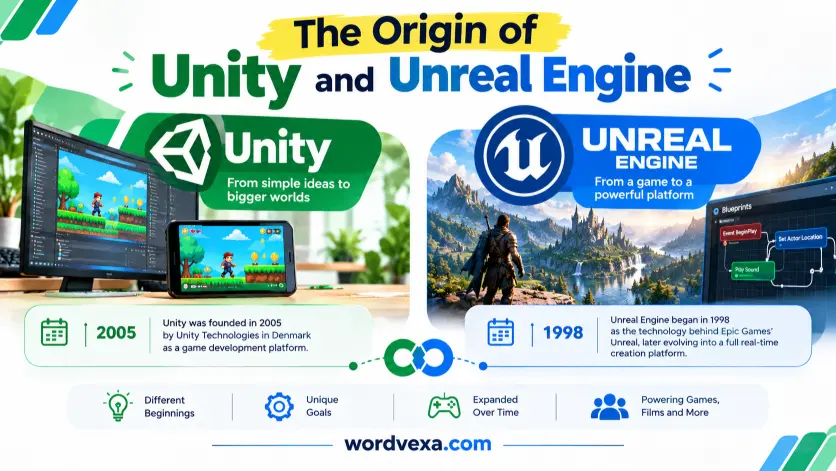
The Origin of Unity
Unity began as a game development platform designed to make game creation more accessible to developers. Over time, it grew into a broader real-time development environment supporting 2D and 3D games, mobile platforms, and interactive applications.
Its editor-based workflow and C# scripting ecosystem have helped make it a common choice for independent developers and small teams.
The Origin of Unreal Engine
Unreal Engine originated as the technology behind Epic Games’ Unreal, released in 1998. It evolved from a game engine into a wider real-time creation platform used for games and other interactive visual projects.
Later versions introduced more advanced rendering, world-building, and production tools. Modern Unreal Engine is particularly well known for its capabilities in high-quality 3D rendering.
How Have They Changed?
Both engines have expanded well beyond their original uses. Unity has continued to support varied platforms and 2D and 3D workflows, while Unreal Engine has expanded its real-time rendering and visual production capabilities.
The important point is that neither engine is limited to one type of game. Their strengths simply make certain projects more convenient than others.
British English vs American English
Unity and Unreal are software names, not competing English spellings. Therefore, British English and American English do not determine which version is correct.
However, writers should use consistent spelling in articles about these engines. Some words commonly used in game development differ by region.
| British English | American English | Example |
| Optimisation | Optimization | Optimisation improves game performance. |
| Customisation | Customization | Customization lets players change controls. |
| Behaviour | Behavior | The character’s behavior changes near enemies. |
| Colour | Color | The material uses a bright color. |
| Centre | Center | Place the object at the center of the screen. |
Both forms are correct in their respective varieties of English. For an article aimed at a US audience, use American spellings. For a UK audience, use British spellings.
Keep the official names Unity and Unreal Engine unchanged in every region.
Which Version Should You Use?
Your location can influence writing style, but your project requirements should determine your engine choice.
United States
Unity and Unreal Engine are both suitable. Choose Unity for projects that fit its C# workflow and platform support. Consider Unreal Engine for visually ambitious 3D projects.
United Kingdom
The same technical considerations apply. Use the engine that matches your project, team, and target platforms.
Canada
Either engine can be suitable. Choose based on your game design and technical needs, and follow Canadian spelling conventions in your documentation when appropriate.
Australia
Both engines are viable options. Evaluate platform requirements, available learning resources, and the skills your team already has.
International Writing
Use the official product names and explain technical terms clearly. If your audience is international, choose one spelling style and apply it consistently.
Academic and Business Writing
In academic writing, identify the engine and version used in your project when relevant. In business writing, compare licensing, development time, team experience, support requirements, and expected maintenance costs.
The choice should be based on evidence from your project rather than the engine’s popularity alone.
Unity vs Unreal: Main Differences
The biggest differences become clearer when you compare their everyday development workflows.
| Feature | Unity | Unreal Engine |
| Main scripting language | C# | C++ |
| Visual scripting | Visual scripting options | Blueprints |
| 2D development | Strong fit for many 2D games | Possible, but often less natural for 2D-focused workflows |
| 3D graphics | Flexible, with multiple rendering options | Strong built-in tools for high-end real-time 3D |
| Mobile games | Often a practical choice | Supports mobile, with project-specific optimisation needs |
| Learning curve | Often approachable for beginners | Can feel complex at first, especially for advanced 3D workflows |
| Best-known strengths | 2D, mobile, flexible deployment | High-end 3D, visual fidelity, cinematic tools |
| Pricing model | Free Personal tier with eligibility limits; paid plans available | Free access under applicable terms; royalties or seat fees may apply to some uses |
These are general tendencies, not strict limits. Both engines can produce high-quality games, and performance depends on the project’s design, assets, code, and optimisation.
Graphics and Visual Quality
Unreal Engine is a strong option when realistic lighting, detailed materials, and cinematic presentation are central to the game. Its built-in rendering technologies can help teams achieve impressive visuals.
Unity can also create beautiful 3D games. The final result depends on the rendering pipeline, assets, lighting setup, developer experience, and target hardware.
Practical advice: Choose Unreal if advanced visual features are central to your project. Choose Unity if its workflow better fits your game and you are comfortable building the visual experience you need.
Programming and Visual Scripting
Unity primarily uses C#, a language that many beginners find approachable. It works well for gameplay logic, user interfaces, and general game systems.
Unreal Engine supports C++ for deeper programming control and Blueprints for visual scripting. Blueprints can help beginners prototype gameplay without writing all their logic in code, although complex projects still require a good understanding of programming concepts.
Neither engine eliminates the need to learn debugging, game logic, and performance optimisation.
Performance and Target Platforms
There is no universal rule that one engine is always faster. Performance depends on the game, hardware, rendering settings, code quality, asset complexity, and optimisation.
Unity is often attractive for mobile and lightweight games. Unreal Engine can also target mobile devices, but developers must carefully manage graphics settings and resource use.
Test your actual game on the devices you intend to support before making a final decision.
Common Mistakes When Choosing Unity or Unreal
Mistake 1: Assuming Unreal Always Has Better Graphics
Incorrect assumption: Every Unreal game looks better than every Unity game.
Correct understanding: Unreal provides powerful tools for high-end visuals, but the final quality depends on the developer’s skills, assets, lighting, and design.
Memory tip: The engine provides tools; the developer creates the result.
Mistake 2: Thinking Unity Is Only for 2D Games
Incorrect assumption: Unity cannot create serious 3D games.
Correct understanding: Unity supports both 2D and 3D development, including complex interactive experiences.
Memory tip: Unity supports more than one dimension.
Mistake 3: Believing Blueprints Mean No Programming Knowledge Is Needed
Incorrect assumption: You can build any game without learning programming concepts.
Correct understanding: Blueprints reduce the need to write code for many tasks, but logic, variables, conditions, events, and debugging still matter.
Memory tip: Visual scripting changes how you express logic, not if logic matters.
Mistake 4: Choosing Only by Popularity
Incorrect assumption: The most popular engine must be the best engine for every game.
Correct understanding: The best engine is the one that fits your project’s requirements, team skills, and budget.
Memory tip: Compare your needs, not just the tools’ reputations.
Everyday Examples: When Should You Use Each Engine?
Here are practical scenarios that show how the choice can change with the project.
Mobile Game Development
Example: You want to create a casual game with touch controls, menus, and short levels.
Unity may be a convenient starting point because of its established 2D and mobile workflows. Unreal can also work, particularly when the game needs advanced 3D visuals.
Realistic First-Person Game
Example: You want to create a first-person game with realistic environments and detailed lighting.
Unreal Engine is worth considering because its rendering tools and visual workflows suit this kind of project.
Indie Platformer
Example: You are creating a side-scrolling platform game with sprites and simple physics.
Unity is often a practical option. It supports 2D workflows and has learning resources for building 2D games.
Architectural Visualisation
Example: You want to let clients explore a realistic digital building.
Unreal Engine may be a strong fit because it supports real-time visualisation and interactive environments. Unity can also be appropriate, depending on the application’s requirements.
Learning Game Development
Example: You have never created a game before.
Start with the engine that matches the kind of game you want to finish. If you want to learn C# and build a small 2D game, try Unity. If you want to explore 3D environments and visual scripting, try Unreal Engine.
Finishing a small project is often more useful than spending months comparing tools.
Google Trends & Modern Usage
People search for “Unity or Unreal” because they want to compare game engines before learning a new skill, starting a project, or choosing a career path.
Common related searches include:
- Unity vs Unreal Engine
- Unity or Unreal for beginners
- Unity vs Unreal for 2D games
- Unity vs Unreal for mobile games
- Unity vs Unreal graphics
- Unity vs Unreal for game development careers
- Unity vs Unreal pricing
These queries reflect different needs. A beginner may care most about learning resources, while a studio may focus on workflow, performance, licensing, and team experience.
Search interest can change over time as software releases, industry news, and developer preferences change. Without a verified comparison of Google Trends data for a defined region and date range, it would be misleading to claim that one engine receives more searches or is growing faster.
Quick Comparison Table: Unreal Engine vs Unity
| Version | Main strength | Correct choice? | Best fit | Example |
| Unity | Flexible development | Yes | 2D and mobile games | A mobile puzzle game |
| Unreal Engine | Advanced real-time 3D tools | Yes | Visually rich 3D games | A realistic adventure game |
| Unity | C# scripting | Yes | Developers learning C# | A small platformer |
| Unreal Engine | Blueprints and C++ | Yes | Visual scripting and advanced gameplay | An interactive 3D world |
| Either engine | Game development | Yes | Projects supported by both tools | A stylized 3D game |
The table offers a starting point, not a strict rule. Test both engines if your project has unusual technical needs.
Unity vs Unreal: Pricing and Licensing
Cost is an important part of choosing a game engine, especially for independent developers and small studios.
Unity Pricing
Unity offers a free Personal plan for eligible users and paid plans for businesses that need additional features. Its current pricing page lists Unity Pro at $210 per month or $2,310 per year per seat in the United States, with eligibility requirements and other terms applying.
Before starting a commercial project, check the current plan requirements, revenue and funding thresholds, and platform restrictions.
Unreal Engine Pricing
Unreal Engine is available under different licensing terms depending on how you use it. Under the standard game-development terms, royalties generally apply to qualifying products after the first $1 million in lifetime gross revenue attributable to that product. Epic’s terms include exceptions, including qualifying sales through the Epic Games Store. Other commercial uses may follow seat-based licensing rules.
Which Engine Is Cheaper?
There is no universal answer.
- A small developer may be able to start with Unity Personal or Unreal Engine without an upfront engine subscription.
- A successful commercial game may face different costs depending on its revenue and licensing terms.
- A business creating non-game applications may have different licensing requirements from a game studio.
Always review the official terms before publishing or selling a product. Pricing and eligibility can change.
Key Takeaways
- Unity and Unreal Engine are both capable game development platforms.
- Unity is often a practical choice for 2D games, mobile games, and C# development.
- Unreal Engine is especially attractive for high-end 3D visuals and real-time rendering.
- Unity primarily uses C#, while Unreal Engine supports C++ and Blueprints.
- Neither engine is automatically faster or better for every project.
- Both engines support multiple platforms, but performance and compatibility need testing.
- Pricing depends on your project, revenue, eligibility, and licensing terms.
- Choose an engine based on the game you want to finish, not popularity alone.
FAQs About Unity or Unreal
Q1. Is Unity or Unreal better for beginners?
Unity is often a good starting point for beginners who want to learn C# and build a small 2D or mobile game. Unreal Engine may be more appealing to beginners interested in 3D environments and visual scripting. Both require practice, and neither is effortless to learn. Start with the engine that best matches your first project.
Q2. Is Unity or Unreal better for 2D games?
Unity is generally the more natural choice for many 2D games because it provides dedicated 2D workflows and tools. Unreal Engine can create 2D-style games, but its core strengths are more closely associated with 3D development. For a first platformer, puzzle game, or sprite-based adventure, Unity is a sensible starting point.
Q3. Is Unreal Engine better than Unity for graphics?
Unreal Engine is well suited to projects that need advanced real-time lighting, detailed environments, and cinematic visuals. However, Unity can also produce excellent graphics.
The final result depends on the rendering tools, assets, hardware, optimisation, and developer skills. Unreal is a strong choice for visual ambition, but it does not guarantee better results.
Q4. Is Unity or Unreal better for mobile games?
Unity is often a practical choice for mobile games, particularly casual, 2D, and lightweight 3D titles. Unreal Engine also supports mobile development, including more visually ambitious games, but performance must be tested carefully on target devices. Consider memory use, battery consumption, loading times, and platform requirements before choosing either engine.
Q5. Should I learn C# or C++ for game development?
Learn C# if you want to start with Unity and build gameplay systems using its main scripting language. Learn C++ if you want to work directly with Unreal Engine’s programming framework or develop a broader understanding of lower-level programming. Neither language is universally better. Your intended engine and career goals should guide your choice.
Q6. Can I make professional games with Unity?
Yes. Unity can be used to build and publish professional games across supported platforms. It is suitable for projects ranging from small independent games to complex 3D experiences. Commercial success depends on many factors, including game design, quality, marketing, performance, and player interest, rather than the engine alone.
Q7. Can I make a game without coding in Unreal Engine?
You can build many gameplay systems in Unreal Engine using Blueprints, its visual scripting system. It allows you to connect nodes to define interactions and game logic. However, complex projects may still benefit from C++ and programming knowledge. Visual scripting is a useful alternative for many tasks, not a guarantee that coding will never be needed.
Q8. Is Unity or Unreal free to use?
Both engines offer ways to get started without paying an upfront engine subscription, but their licensing terms differ. Unity Personal has eligibility requirements, while Unreal Engine may impose royalties on qualifying game products after the applicable revenue threshold.
Conclusion: Unity or Unreal, Which Should You Choose?
Choosing between Unity or Unreal depends on what you want to create. Unity is often a strong starting point for 2D games, mobile development, and projects built around C#.
Unreal Engine is an excellent option for developers who want to create visually rich 3D worlds, use Blueprints, or explore advanced real-time rendering.
Neither engine is the right choice for every developer. Consider your current skills, the platforms you plan to support, your hardware requirements, your budget, and the type of game you want to finish.
If you are unsure, build a small prototype in each engine and compare how easily you can implement the features you need.
Also review the official documentation and licensing terms before committing to a commercial project. Engine features, prices, and requirements can change, so verify the details that matter to your plans.
The best game engine is not the one with the most features. It is the one that helps you turn your idea into a finished game.
If this guide helped you decide, explore more game development and technology comparisons to make your next project easier to plan.
Read More Articles:

I’m Sloane Mercer, a U.S.-based English language writer focused on grammar, spelling, vocabulary, and everyday English usage. Through Wordvexa, I provide clear and practical explanations to help readers choose the right words and communicate with confidence.







1 thought on “Unity or Unreal: Which Game Engine Should You Choose?”